
Note
Go to the end to download the full example code.
Multiple solid bodies#
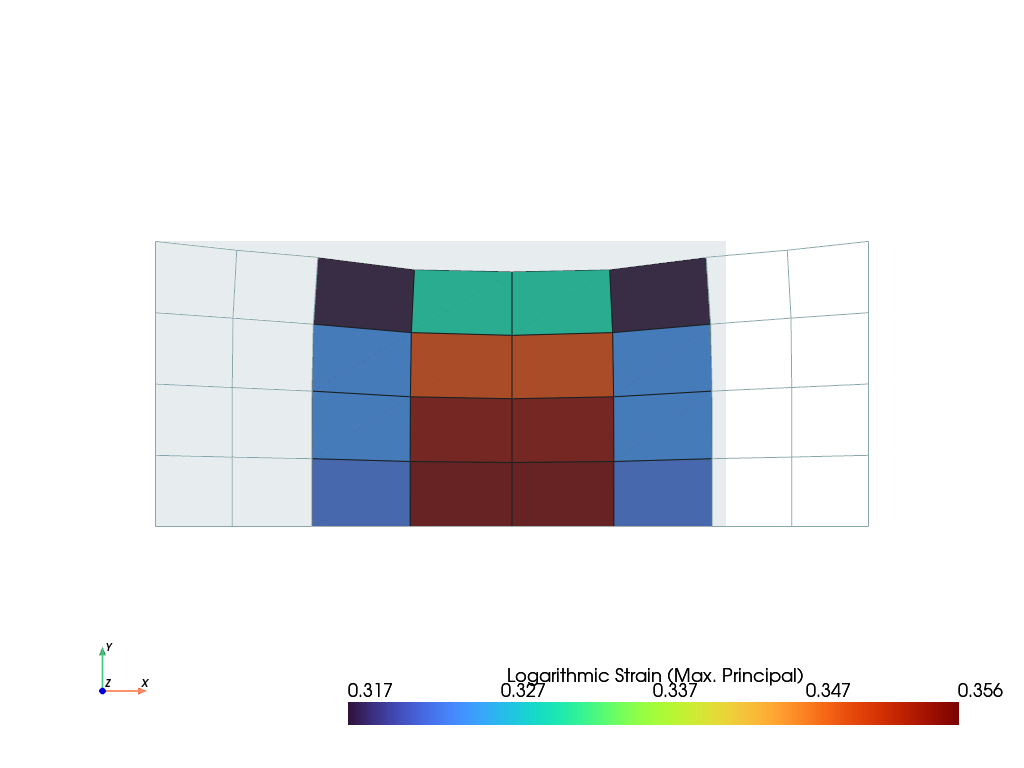
This tutorial shows how to handle multiple solid bodies. There are different ways to approach this, but the method presented here is by far the most straightforward. We’ll start with the meshes, regions, and fields. After that, a top-level field container will be introduced for the boundary conditions. When creating the solid bodies, make sure to use the fields from this merged container.
import felupe as fem

mesh_1 = fem.Rectangle(a=(0, 0), b=(0.5, 1), n=(3, 5))
field_1 = fem.FieldAxisymmetric(region=fem.RegionQuad(mesh_1), dim=2)

mesh_2 = fem.Rectangle(a=(0.5, 0), b=(1.5, 1), n=5)
field_2 = fem.FieldAxisymmetric(region=fem.RegionQuad(mesh_2), dim=2)

mesh_3 = fem.Rectangle(a=(1.5, 0), b=(2, 1), n=(3, 5))
field_3 = fem.FieldAxisymmetric(region=fem.RegionQuad(mesh_3), dim=2)

fields, x0 = fem.FieldContainer([field_1, field_2, field_3]).merge()
boundaries = fem.dof.uniaxial(x0, clamped=True, sym=False, return_loadcase=False)

umat_a = fem.NeoHookeCompressible(mu=3, lmbda=6)
umat_b = fem.NeoHookeCompressible(mu=1, lmbda=2)

solid_1 = fem.SolidBody(umat=umat_a, field=fields[0])
solid_2 = fem.SolidBody(umat=umat_b, field=fields[1])
solid_3 = fem.SolidBody(umat=umat_a, field=fields[2])
The ramped prescribed displacements for 5 substeps are created with
linsteps(). A Step is created with a list of items
to be considered (here, three solid bodies) and a dict of ramped boundary
conditions along with the prescribed values.
This step is now added to a Job. The top-level field x0 is passed
to evaluate().
Total running time of the script: (0 minutes 0.703 seconds)