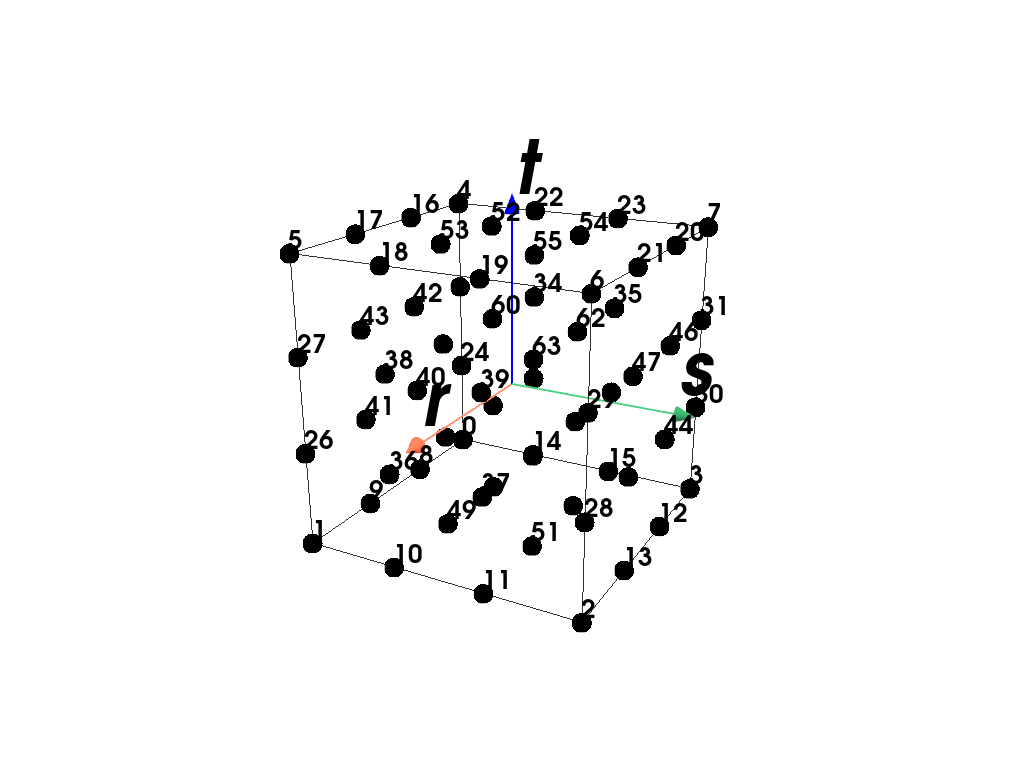
Element#
This module provides classes for the finite element formulations.
|
Base-class for a finite element which provides methods for plotting. |
Linear Elements
|
A vertex element formulation with constant shape functions. |
|
A 1D line element formulation with linear shape functions. |
|
A 2D quadrilateral element formulation with linear shape functions. |
A 3D hexahedron (brick) element formulation with linear shape functions. |
|
|
A 2D triangle element formulation with linear shape functions. |
|
A 3D tetrahedron element formulation with linear shape functions. |
Constant Elements
A 2D quadrilateral element formulation with constant shape functions. |
|
A 3D hexahedron (brick) element formulation with constant shape functions. |
Quadratic Elements
A 2D quadrilateral element formulation with quadratic (serendipity) shape functions. |
|
A 3D hexahedron (brick) element formulation with quadratic (serendipity) shape functions. |
|
A 2D quadrilateral element formulation with bi-quadratic shape functions. |
|
A 3D hexahedron (brick) element formulation with tri-quadratic shape functions. |
|
A 2D triangle element formulation with quadratic shape functions. |
|
A 3D tetrahedron element formulation with quadratic shape functions. |
Bubble-Enriched Elements
|
A 2D triangle element formulation with bubble-enriched linear shape functions. |
|
A 3D tetrahedron element formulation with bubble-enriched linear shape functions. |
Arbitrary-Order Elements
|
A n-dimensional Lagrange finite element (e.g. line, quad or hexahdron) of arbitrary order. |
Detailed API Reference
- class felupe.Element[source]#
Bases:
objectBase-class for a finite element which provides methods for plotting.
Examples
This example shows how to implement a hexahedron element.
>>> import felupe as fem
>>> import numpy as np
>>>
>>> class Hexahedron(fem.Element):
...     def __init__(self):
...         a = [-1, 1, 1, -1, -1, 1, 1, -1]
...         b = [-1, -1, 1, 1, -1, -1, 1, 1]
...         c = [-1, -1, -1, -1, 1, 1, 1, 1]
...         self.points = np.vstack([a, b, c]).T
...
...         # additional attributes for plotting, optional
...         self.cells = np.array([[0, 1, 2, 3, 4, 5, 6, 7]])
...         self.cell_type = "hexahedron"
...
...     def function(self, rst):
...         r, s, t = rst
...         a, b, c = self.points.T
...         ar, bs, ct = 1 + a * r, 1 + b * s, 1 + c * t
...         return (ar * bs * ct) / 8
...
...     def gradient(self, rst):
...         r, s, t = rst
...         a, b, c = self.points.T
...         ar, bs, ct = 1 + a * r, 1 + b * s, 1 + c * t
...         return np.stack([a * bs * ct, ar * b * ct, ar * bs * c], axis=1)
>>>
>>> mesh = fem.Cube(n=6)
>>> element = Hexahedron()
>>> quadrature = fem.GaussLegendre(order=1, dim=3)
>>> region = fem.Region(mesh, element, quadrature)
The gradient (and optionally the hessian) may be carried out using automatic differentiation.
Warning
It is important to use only differentiable math-functions from
tensortrax.math!>>> import felupe as fem >>> import tensortrax as tr >>> import numpy as np >>> >>> class Hexahedron(fem.Element): ... def __init__(self): ... a = [-1, 1, 1, -1, -1, 1, 1, -1] ... b = [-1, -1, 1, 1, -1, -1, 1, 1] ... c = [-1, -1, -1, -1, 1, 1, 1, 1] ... self.points = np.vstack([a, b, c]).T ... ... # additional attributes for plotting, optional ... self.cells = np.array([[0, 1, 2, 3, 4, 5, 6, 7]]) ... self.cell_type = "hexahedron" ... ... def fun(self, rst): ... a, b, c = tr.math.array(self.points.T, shape=(3, 8), like=rst) ... r, s, t = rst ... ar, bs, ct = 1 + a * r, 1 + b * s, 1 + c * t ... return (ar * bs * ct) / 8 ... ... def function(self, rst): ... return tr.function(self.fun)(rst) ... ... def gradient(self, rst): ... return tr.jacobian(self.fun)(rst) ... ... def hessian(self, rst): ... return tr.hessian(self.fun)(rst) >>> >>> mesh = fem.Cube(n=6) >>> element = Hexahedron() >>> quadrature = fem.GaussLegendre(order=1, dim=3) >>> region = fem.Region(mesh, element, quadrature, hess=True)
- plot(*args, style='wireframe', color='black', add_axes_at_origin=True, add_point_labels=True, show_points=True, font_size=26, **kwargs)[source]#
Plot the element.
See also
felupe.Scene.plotPlot method of a scene.
- screenshot(*args, filename=None, transparent_background=None, scale=None, **kwargs)[source]#
Take a screenshot of the element.
See also
pyvista.Plotter.screenshotTake a screenshot of a PyVista plotter.
- view(point_data=None, cell_data=None, cell_type=None)[source]#
View the element with optional given dicts of point- and cell-data items.
- Parameters:
- Returns:
A object which provides visualization methods for
felupe.element.Element.- Return type:
felupe.ViewMesh
See also
felupe.ViewMeshVisualization methods for
felupe.Mesh.
- class felupe.Vertex[source]#
Bases:
ElementA vertex element formulation with constant shape functions.
Notes
The vertex element is defined by one point.
- class felupe.Line[source]#
Bases:
ElementA 1D line element formulation with linear shape functions.
Notes
The linear line element is defined by two points (0-1). [1]
The shape functions \(\boldsymbol{h}\) are given in terms of the coordinates \((r)\).
\[\begin{split}\boldsymbol{h}(r) = \frac{1}{2} \begin{bmatrix} (1-r) \\ (1+r) \end{bmatrix}\end{split}\]References
- class felupe.Quad[source]#
Bases:
ElementA 2D quadrilateral element formulation with linear shape functions.
Notes
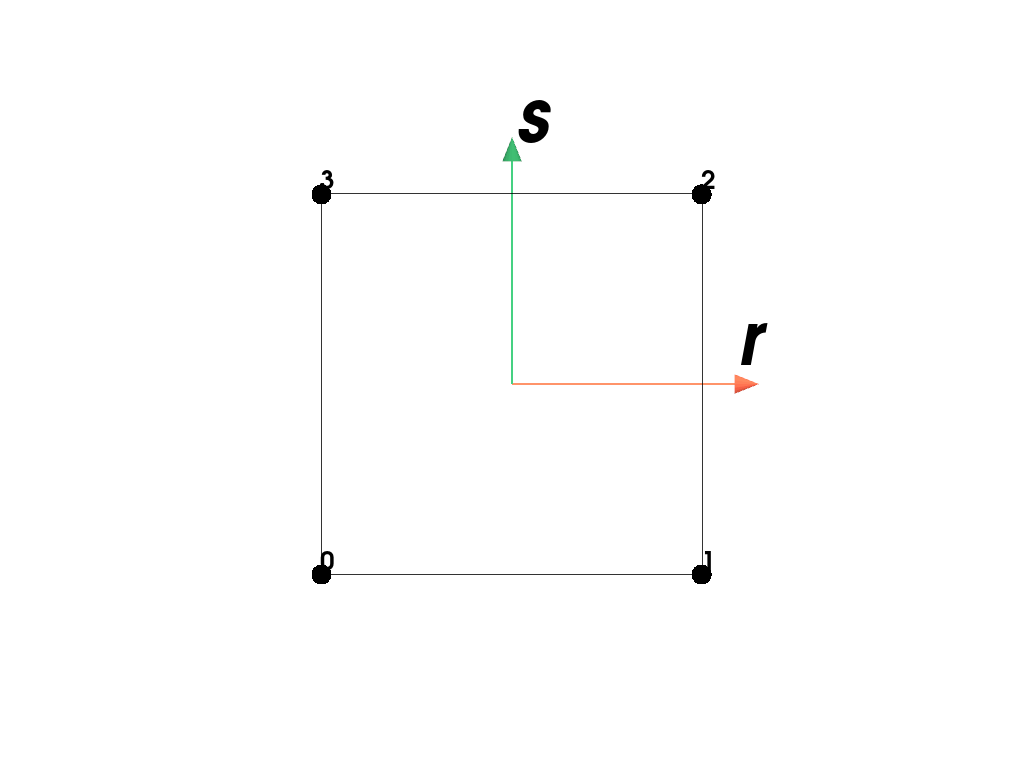
The quadrilateral element is defined by four points (0-3). [1]
The shape functions \(\boldsymbol{h}\) are given in terms of the coordinates \((r,s)\).
\[\begin{split}\boldsymbol{h}(r,s) = \frac{1}{4} \begin{bmatrix} (1-r) (1-s) \\ (1+r) (1-s) \\ (1+r) (1+s) \\ (1-r) (1+s) \end{bmatrix}\end{split}\]Examples
>>> import felupe as fem
>>>
>>> element = fem.Quad()
>>> element.plot().show()
References
- class felupe.Hexahedron[source]#
Bases:
ElementA 3D hexahedron (brick) element formulation with linear shape functions.
Notes
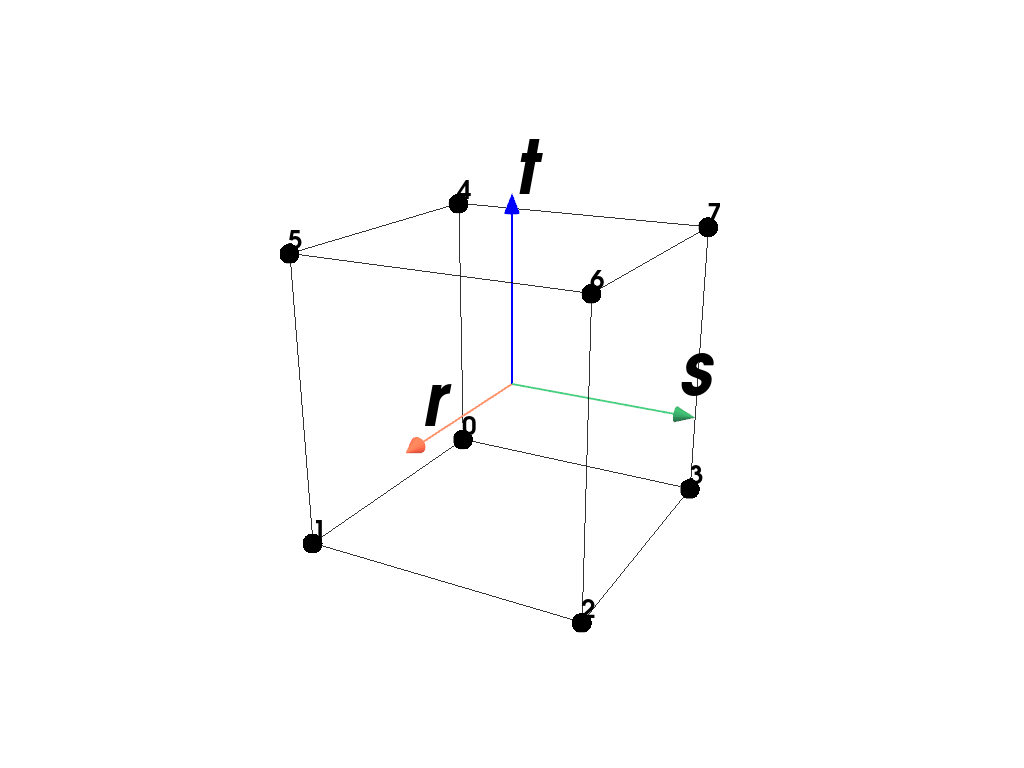
The hexahedron element is defined by eight points (0-7) where (0,1,2,3) forms the base and (4,5,6,7) the opposite quad. [1]
The shape functions \(\boldsymbol{h}\) are given in terms of the coordinates \((r,s,t)\).
\[\begin{split}\boldsymbol{h}(r,s,t) = \frac{1}{8} \begin{bmatrix} (1-r) (1-s) (1-t) \\ (1+r) (1-s) (1-t) \\ (1+r) (1+s) (1-t) \\ (1-r) (1+s) (1-t) \\ (1-r) (1-s) (1+t) \\ (1+r) (1-s) (1+t) \\ (1+r) (1+s) (1+t) \\ (1-r) (1+s) (1+t) \end{bmatrix}\end{split}\]Examples
>>> import felupe as fem
>>>
>>> element = fem.Hexahedron()
>>> element.plot().show()
References
- class felupe.Triangle[source]#
Bases:
ElementA 2D triangle element formulation with linear shape functions.
Notes
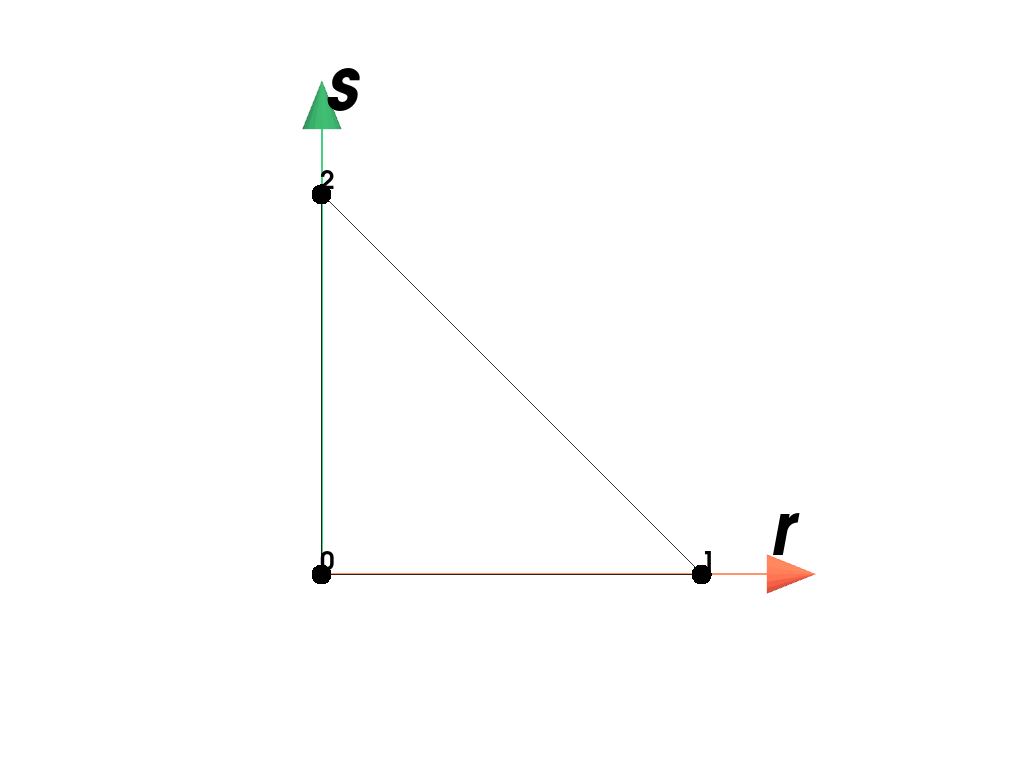
The triangle element is defined by three points (0-2). [1]
The shape functions \(\boldsymbol{h}\) are given in terms of the coordinates \((r,s)\) [2]_.
\[\begin{split}\boldsymbol{h}(r,s) = \begin{bmatrix} 1-r-s \\ r \\ s \end{bmatrix}\end{split}\]Examples
>>> import felupe as fem
>>>
>>> element = fem.Triangle()
>>> element.plot().show()
References
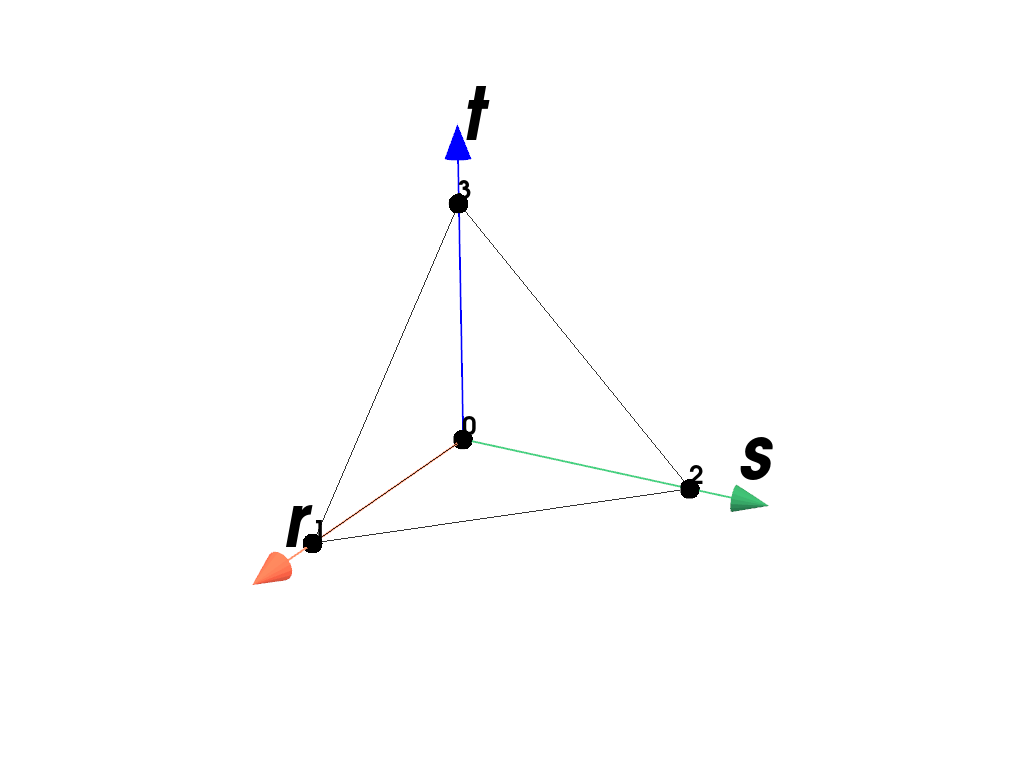
- class felupe.Tetra[source]#
Bases:
ElementA 3D tetrahedron element formulation with linear shape functions.
Notes
The tetrahedron element is defined by four points (0-3). [1]
The shape functions \(\boldsymbol{h}\) are given in terms of the coordinates \((r,s,t)\).
\[\begin{split}\boldsymbol{h}(r,s,t) = \begin{bmatrix} 1-r-s-t \\ r \\ s \\ t \end{bmatrix}\end{split}\]Examples
>>> import felupe as fem
>>>
>>> element = fem.Tetra()
>>> element.plot().show()
References
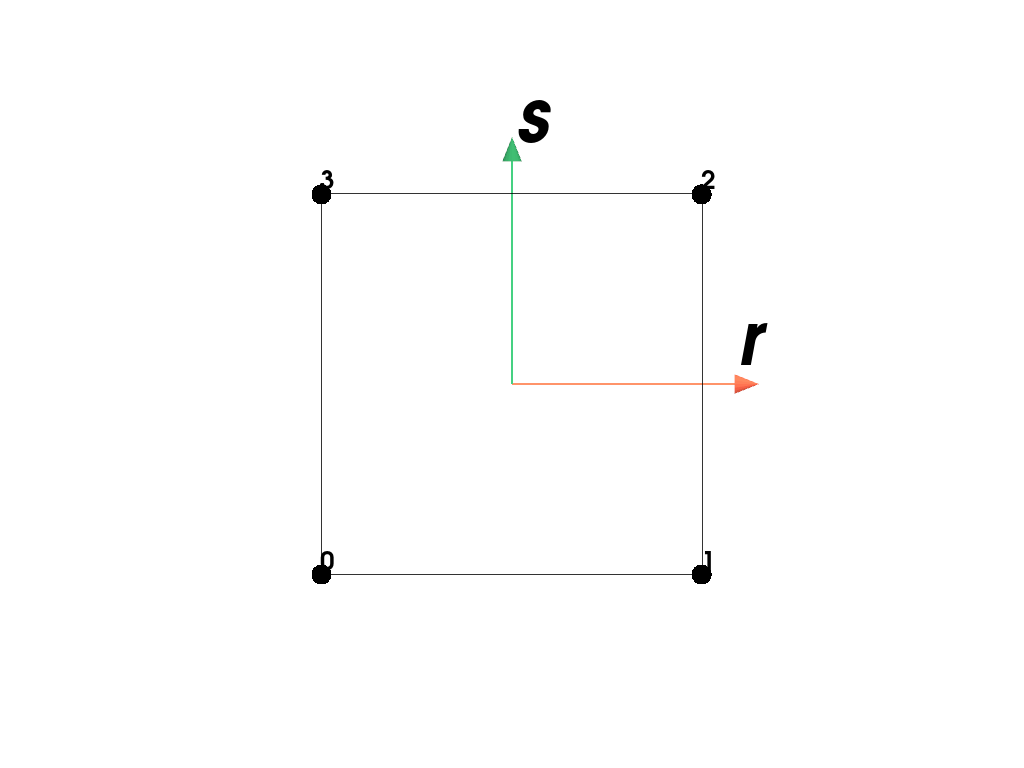
- class felupe.ConstantQuad[source]#
Bases:
ElementA 2D quadrilateral element formulation with constant shape functions.
Notes
The quadrilateral element is defined by four points (0-3). [1]
The shape function \(h\) is given in terms of the coordinates \((r,s)\).
\[h(r,s) = 1\]Examples
>>> import felupe as fem
>>>
>>> element = fem.ConstantQuad()
>>> element.plot().show()
References
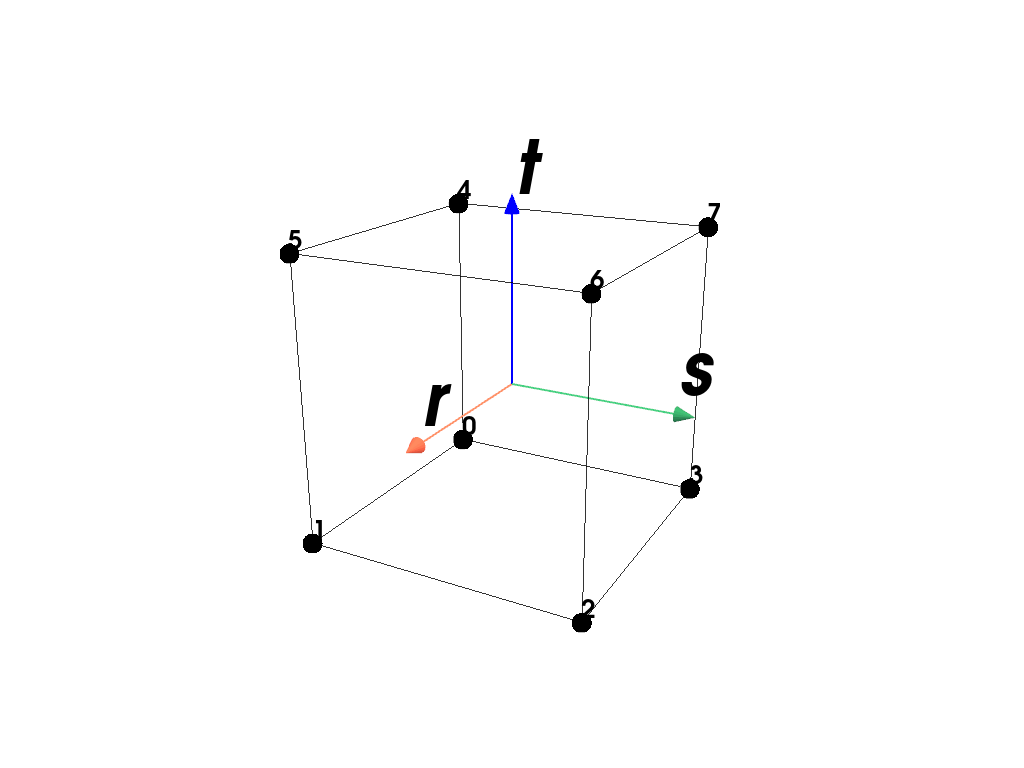
- class felupe.ConstantHexahedron[source]#
Bases:
ElementA 3D hexahedron (brick) element formulation with constant shape functions.
Notes
The hexahedron element is defined by eight points (0-7) where (0,1,2,3) forms the base and (4,5,6,7) the opposite quad. [1]
The shape function \(h\) in terms of the coordinates \((r,s,t)\) is constant and hence, its gradient is zero.
\[h(r,s,t) = 1\]Examples
>>> import felupe as fem
>>>
>>> element = fem.ConstantHexahedron()
>>> element.plot().show()
References
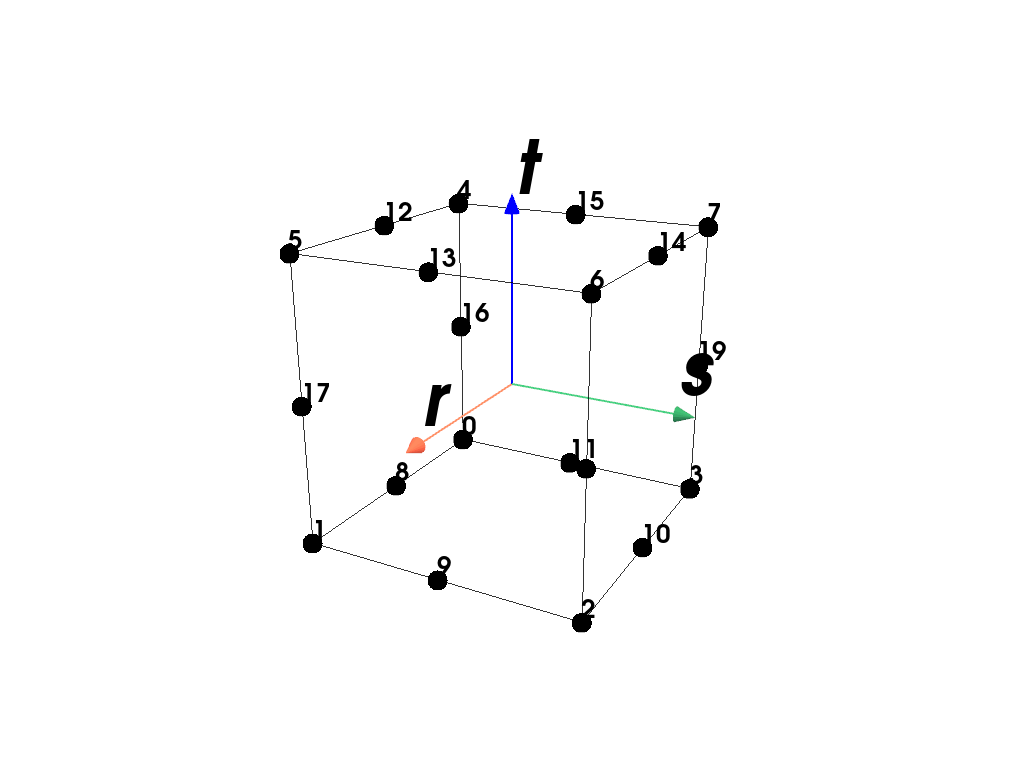
- class felupe.QuadraticHexahedron[source]#
Bases:
ElementA 3D hexahedron (brick) element formulation with quadratic (serendipity) shape functions.
Notes
The hexahedron element is defined by twenty points with eight corner points (0-7) where (0,1,2,3) forms the base and (4,5,6,7) the opposite quad; followed by 12 mid- edge points. The mid-edge points correspond to the edges defined by the lines between the points (0,1), (1,2), (2,3), (3,0), (4,5), (5,6), (6,7), (7,4), (0,4), (1,5), (2,6), (3,7). [1]
The shape functions \(\boldsymbol{h}\) are given in terms of the coordinates \((r,s,t)\).
Examples
>>> import felupe as fem
>>>
>>> element = fem.QuadraticHexahedron()
>>> element.plot().show()
References
- class felupe.TriQuadraticHexahedron[source]#
Bases:
ElementA 3D hexahedron (brick) element formulation with tri-quadratic shape functions.
Notes
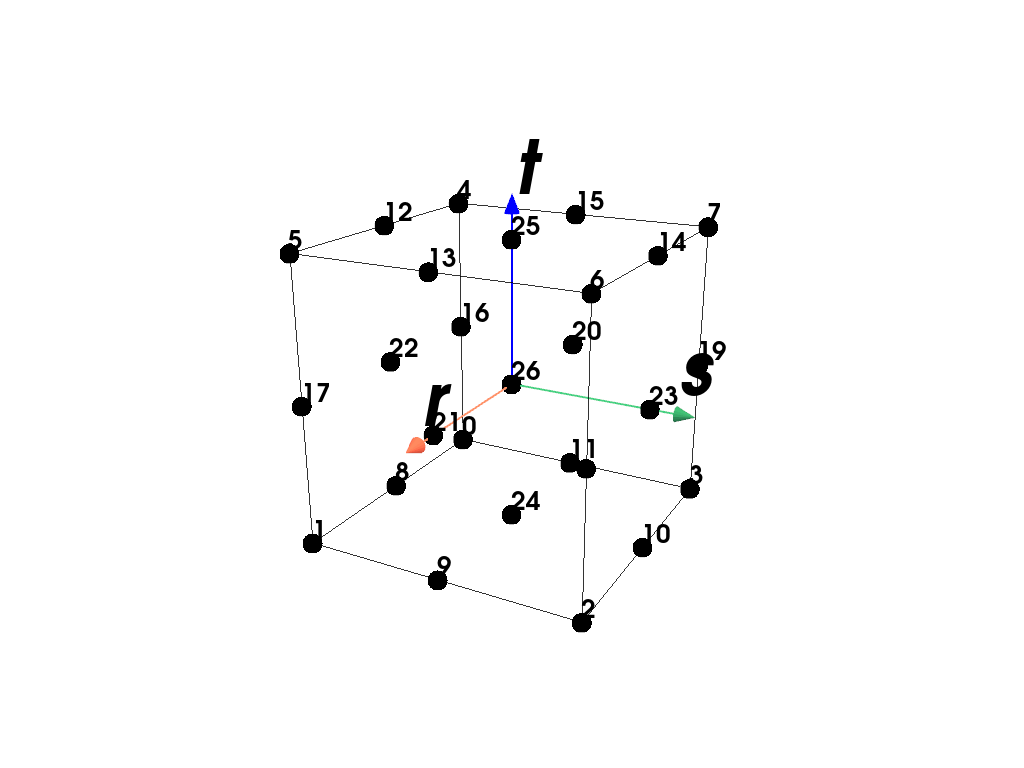
The hexahedron element is defined by 27 points. This includes 8 corner points, 12 mid-edge points, 6 mid-face points and one mid-volume point. The ordering of the 27 points defining the element is point ids (0-7,8-19, 20-25, 26) where point ids 0-7 are the eight corner vertices of the cube; followed by twelve midedge points (8-19); followed by 6 mid-face points (20-25) and the last point (26) is the mid-volume point. Note that these mid-edge points correspond to the edges defined by (0,1), (1,2), (2,3), (3,0), (4,5), (5,6), (6,7), (7,4), (0,4), (1,5), (2,6), (3,7). The mid-surface points lie on the faces defined by (first edge point id’s, than mid-edge point id’s): (0,1,5,4;8,17,12,16), (1,2,6,5;9,18,13,17), (2,3,7,6,10,19,14,18), (3,0,4,7;11,16,15,19), (0,1,2,3;8,9,10,11), (4,5,6,7;12,13,14,15). The last point lies in the center (0,1,2,3,4,5,6,7). [1]
The shape functions \(\boldsymbol{h}\) are given in terms of the coordinates \((r,s,t)\).
Examples
>>> import felupe as fem
>>>
>>> element = fem.TriQuadraticHexahedron()
>>> element.plot().show()
References
- class felupe.QuadraticQuad[source]#
Bases:
ElementA 2D quadrilateral element formulation with quadratic (serendipity) shape functions.
Notes
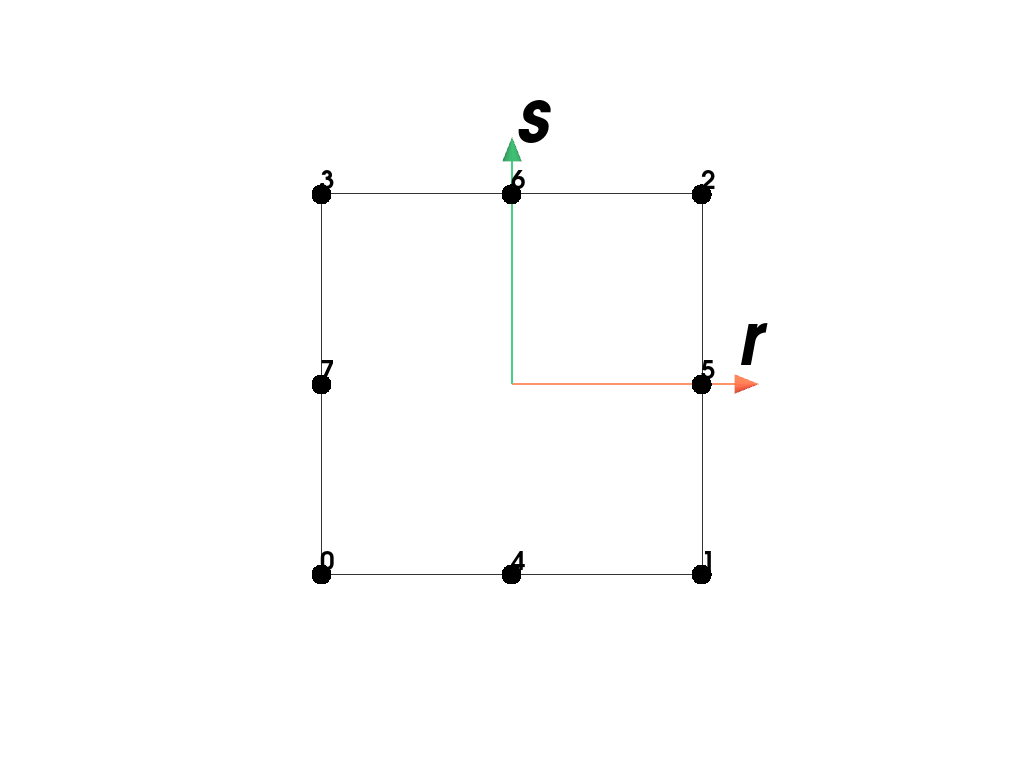
The quadratic (serendipity) quadrilateral element is defined by eight points (0-7). [1]
The shape functions \(\boldsymbol{h}\) are given in terms of the coordinates \((r,s)\).
Examples
>>> import felupe as fem
>>>
>>> element = fem.QuadraticQuad()
>>> element.plot().show()
References
- class felupe.BiQuadraticQuad[source]#
Bases:
ElementA 2D quadrilateral element formulation with bi-quadratic shape functions.
Notes
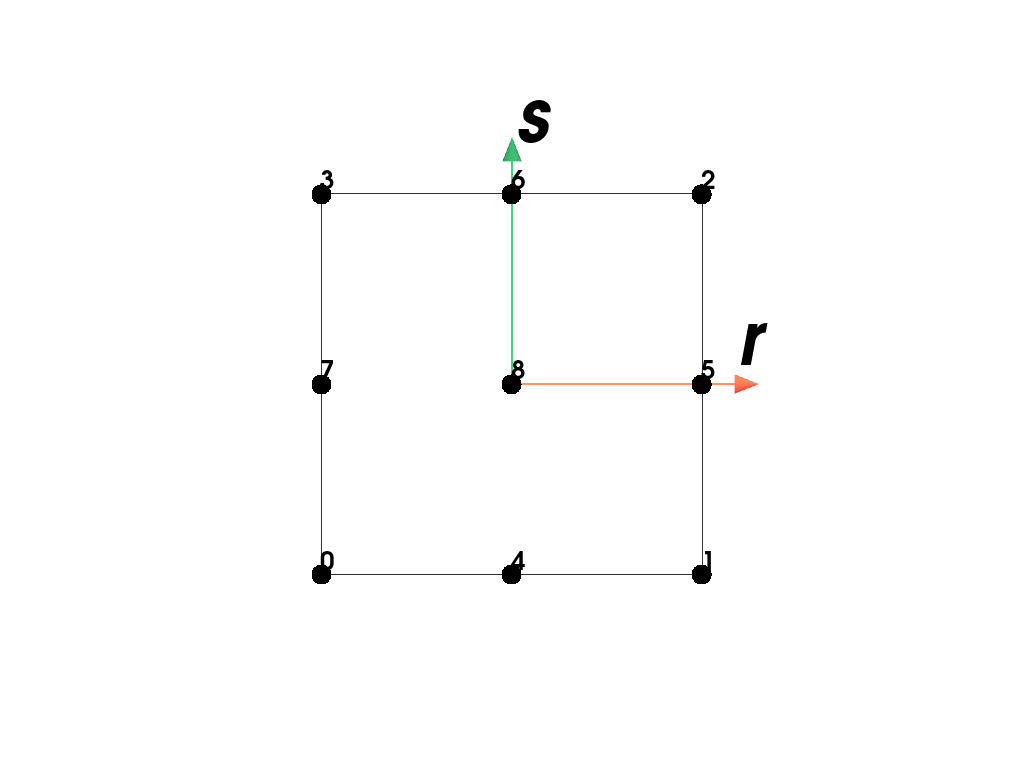
The bi-quadratic quadrilateral element is defined by nine points (0-8). [1]
The shape functions \(\boldsymbol{h}\) are given in terms of the coordinates \((r,s)\).
Examples
>>> import felupe as fem
>>>
>>> element = fem.BiQuadraticQuad()
>>> element.plot().show()
References
- class felupe.QuadraticTriangle[source]#
Bases:
ElementA 2D triangle element formulation with quadratic shape functions.
Notes
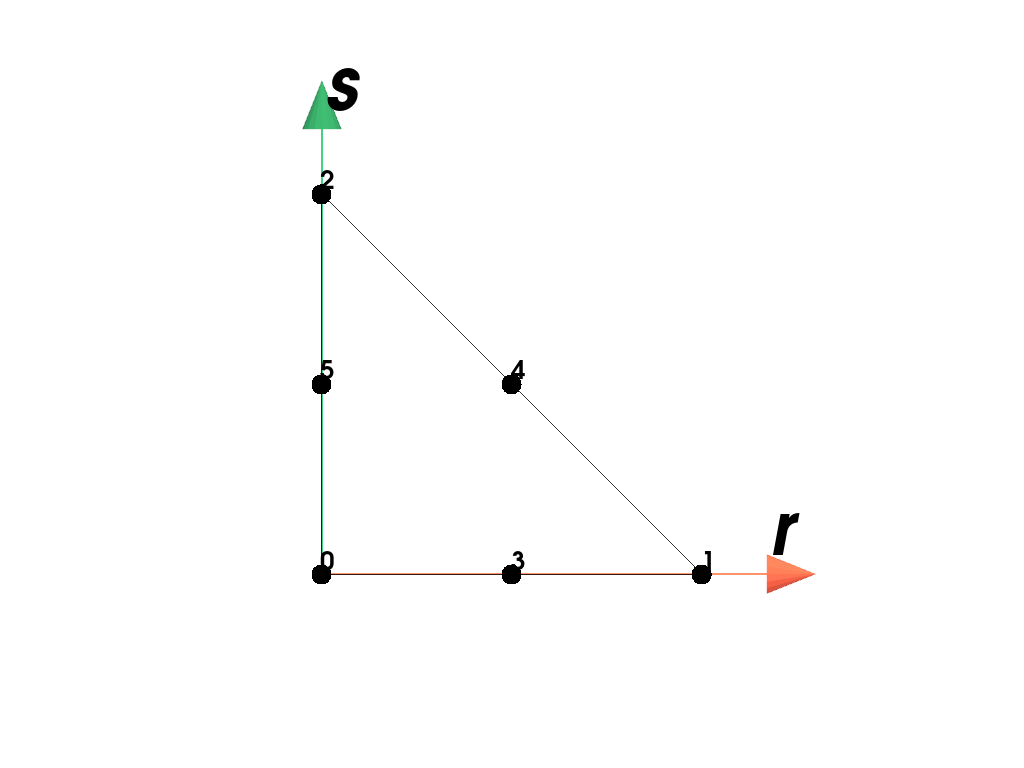
The quadratic triangle element is defined by six points (0-5). The element includes three mid-edge points besides the three triangle vertices. The ordering of the three points defining the element is point ids (0-2,3-5) where id #3 is the mid-edge point between points (0,1); id #4 is the mid-edge point between points (1,2); and id #5 is the mid-edge point between points (2,0). [1]
The shape functions \(\boldsymbol{h}\) are given in terms of the coordinates \((r,s)\) [2]_.
\[\begin{split}\boldsymbol{h}(r,s) = \begin{bmatrix} 1-r-s \\ r \\ s \\ 4 r (1-r-s) \\ 4 r s \\ 4 s (1-r-s) \end{bmatrix}\end{split}\]Examples
>>> import felupe as fem
>>>
>>> element = fem.QuadraticTriangle()
>>> element.plot().show()
References
- class felupe.QuadraticTetra[source]#
Bases:
ElementA 3D tetrahedron element formulation with quadratic shape functions.
Notes
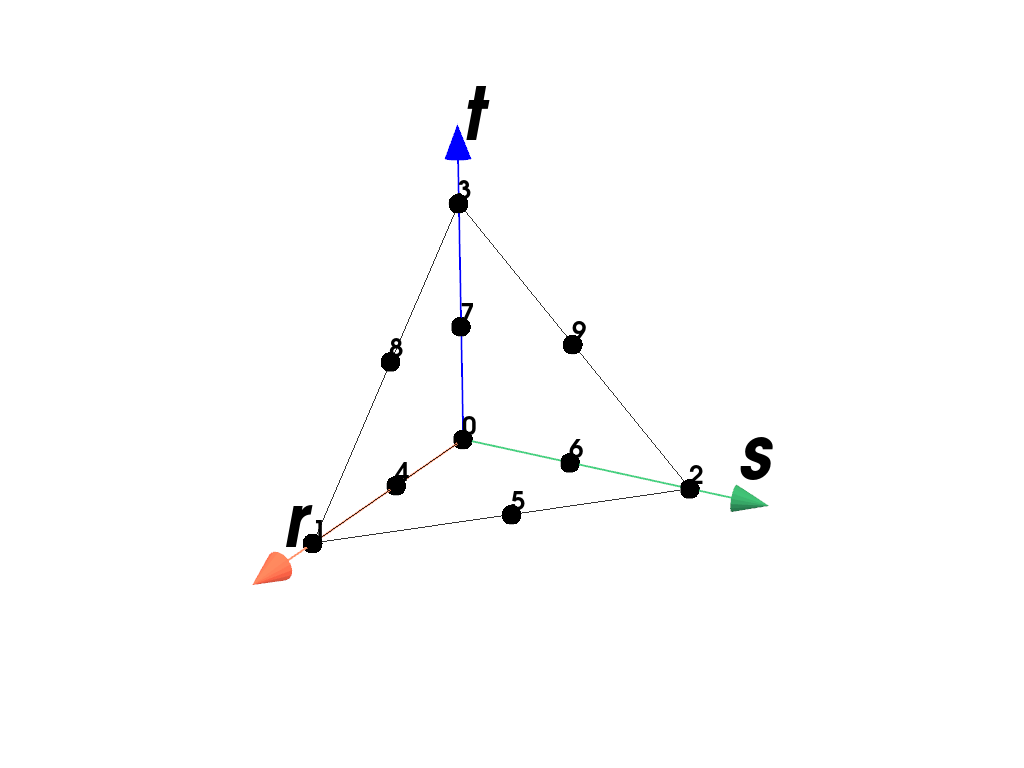
The quadratic tetrahedron element is defined by ten points (0-9). The element includes a mid-edge point on each of the edges of the tetrahedron. The ordering of the ten points defining the cell is point ids (0-3,4-9) where ids 0-3 are the four tetra vertices; and point ids 4-9 are the mid-edge points between (0,1), (1,2), (2,0), (0,3), (1,3), and (2,3). [1]
The shape functions \(\boldsymbol{h}\) are given in terms of the coordinates \((r,s,t)\).
\[\begin{split}\boldsymbol{h}(r,s,t) = \begin{bmatrix} t_1 (2 t_1 - 1) \\ t_2 (2 t_2 - 1) \\ t_3 (2 t_3 - 1) \\ t_4 (2 t_4 - 1) \\ 4 t_1 t_2 \\ 4 t_2 t_3 \\ 4 t_3 t_1 \\ 4 t_1 t_4 \\ 4 t_2 t_4 \\ 4 t_3 t_4 \end{bmatrix}\end{split}\]with
\[ \begin{align}\begin{aligned}t_1 &= 1 - r - s - t\\t_2 &= r\\t_3 &= s\\t_4 &= t\end{aligned}\end{align} \]Examples
>>> import felupe as fem
>>>
>>> element = fem.QuadraticTetra()
>>> element.plot().show()
References
- class felupe.TriangleMINI(bubble_multiplier=1.0)[source]#
Bases:
ElementA 2D triangle element formulation with bubble-enriched linear shape functions.
Notes
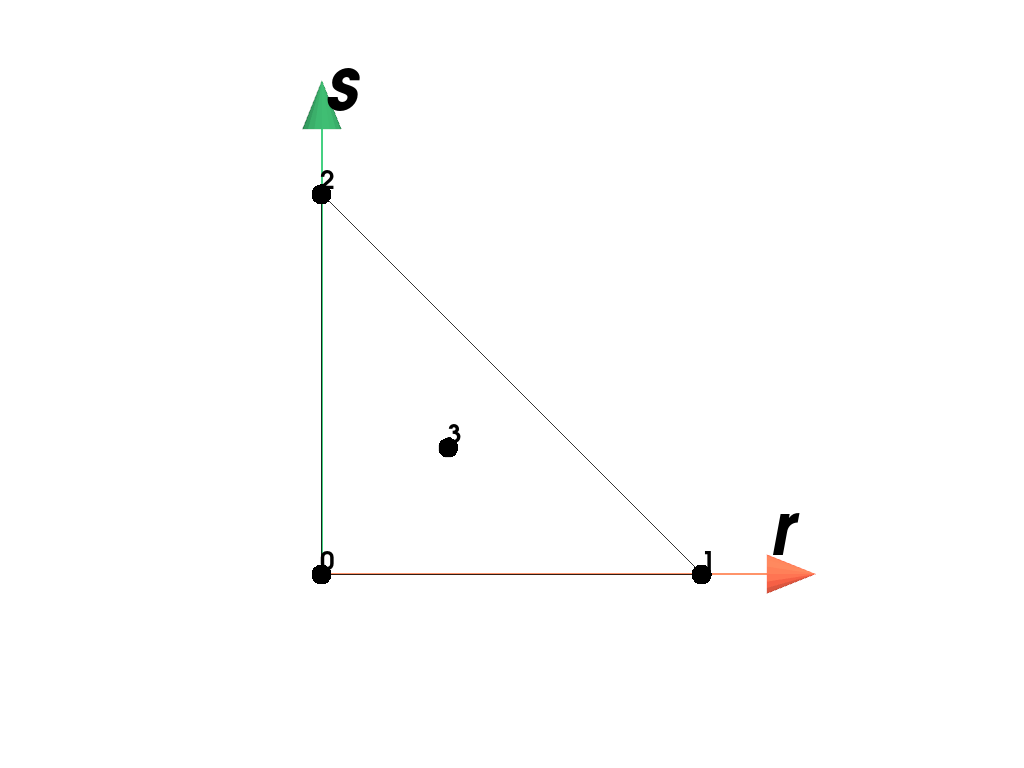
The MINI triangle element is defined by four points (0-3). [1]
The shape functions \(\boldsymbol{h}\) are given in terms of the coordinates \((r,s)\).
\[\begin{split}\boldsymbol{h}(r,s) = \begin{bmatrix} 1-r-s \\ r \\ s \\ r s (1-r-s) \end{bmatrix}\end{split}\]Examples
>>> import felupe as fem
>>>
>>> element = fem.TriangleMINI()
>>> element.plot().show()
References
- class felupe.TetraMINI(bubble_multiplier=1.0)[source]#
Bases:
ElementA 3D tetrahedron element formulation with bubble-enriched linear shape functions.
Notes
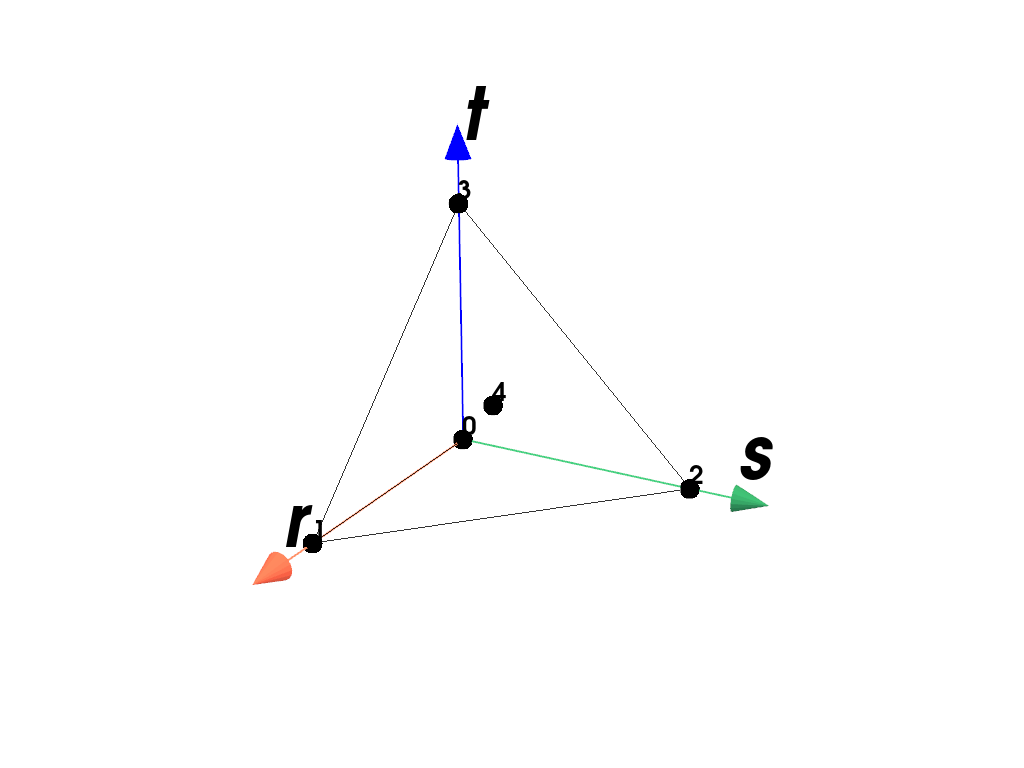
The MINI tetrahedron element is defined by five points (0-4). [1]
The shape functions \(\boldsymbol{h}\) are given in terms of the coordinates \((r,s,t)\).
\[\begin{split}\boldsymbol{h}(r,s,t) = \begin{bmatrix} 1-r-s-t \\ r \\ s \\ t \\ r s t (1-r-s-t) \end{bmatrix}\end{split}\]Examples
>>> import felupe as fem
>>>
>>> element = fem.TetraMINI()
>>> element.plot().show()
References
- class felupe.element.ArbitraryOrderLagrange(order, dim, interval=(-1, 1), permute=True)[source]#
Bases:
ElementA n-dimensional Lagrange finite element (e.g. line, quad or hexahdron) of arbitrary order.
Notes
Polynomial shape functions
The basis function vector is generated with row-stacking of the individual lagrange polynomials. Each polynomial defined in the interval \([-1,1]\) is a function of the parameter \(r\). The curve parameters matrix \(\boldsymbol{A}\) is of symmetric shape due to the fact that for each evaluation point \(r_j\) exactly one basis function \(h_j(r)\) is needed.
\[\boldsymbol{h}(r) = \boldsymbol{A}^T \boldsymbol{r}(r)\]Curve parameter matrix
The evaluation of the curve parameter matrix \(\boldsymbol{A}\) is carried out by boundary conditions. Each shape function \(h_i\) has to take the value of one at the associated nodal coordinate \(r_i\) and zero at all other point coordinates.
\[ \begin{align}\begin{aligned}\boldsymbol{A}^T \boldsymbol{R} &= \boldsymbol{I} \qquad \text{with} \qquad \boldsymbol{R} = \begin{bmatrix}\boldsymbol{r}(r_1) & \boldsymbol{r}(r_2) & \dots & \boldsymbol{r}(r_p)\end{bmatrix}\\\boldsymbol{A}^T &= \boldsymbol{R}^{-1}\end{aligned}\end{align} \]Interpolation and partial derivatives
The approximation of nodal unknowns \(\hat{\boldsymbol{u}}\) as a function of the parameter \(r\) is evaluated as
\[\boldsymbol{u}(r) \approx \hat{\boldsymbol{u}}^T \boldsymbol{h}(r)\]For the calculation of the partial derivative of the interpolation field w.r.t. the parameter \(r\) a simple shift of the entries of the parameter vector is enough. This shifted parameter vector is denoted as \(\boldsymbol{r}^-\). A minus superscript indices the negative shift of the vector entries by \(-1\).
\[ \begin{align}\begin{aligned}\frac{\partial \boldsymbol{u}(r)}{\partial r} &\approx \hat{\boldsymbol{u}}^T \frac{\partial \boldsymbol{h}(r)}{\partial r}\\\frac{\partial \boldsymbol{h}(r)}{\partial r} &= \boldsymbol{A}^T \boldsymbol{r}^-(r) \qquad \text{with} \qquad r_0^- = 0 \qquad \text{and} \qquad r_i^- = \frac{r^{(i-1)}}{(i-1)!} \qquad \text{for} \qquad i=(1 \dots p)\end{aligned}\end{align} \]n-dimensional shape functions#
Multi-dimensional shape function matrices \(\boldsymbol{H}_{2D}, \boldsymbol{H}_{3D}\) are simply evaluated as dyadic (outer) vector products of one-dimensional shape function vectors. The multi- dimensional shape function vector is a one-dimensional representation (flattened version) of the multi-dimensional shape function matrix.
\[ \begin{align}\begin{aligned}\boldsymbol{H}_{2D}(r,s) &= \boldsymbol{h}(r) \otimes \boldsymbol{h}(s)\\\boldsymbol{H}_{3D}(r,s,t) &= \boldsymbol{h}(r) \otimes \boldsymbol{h}(s) \otimes \boldsymbol{h}(t)\end{aligned}\end{align} \]Examples
>>> import felupe as fem
>>>
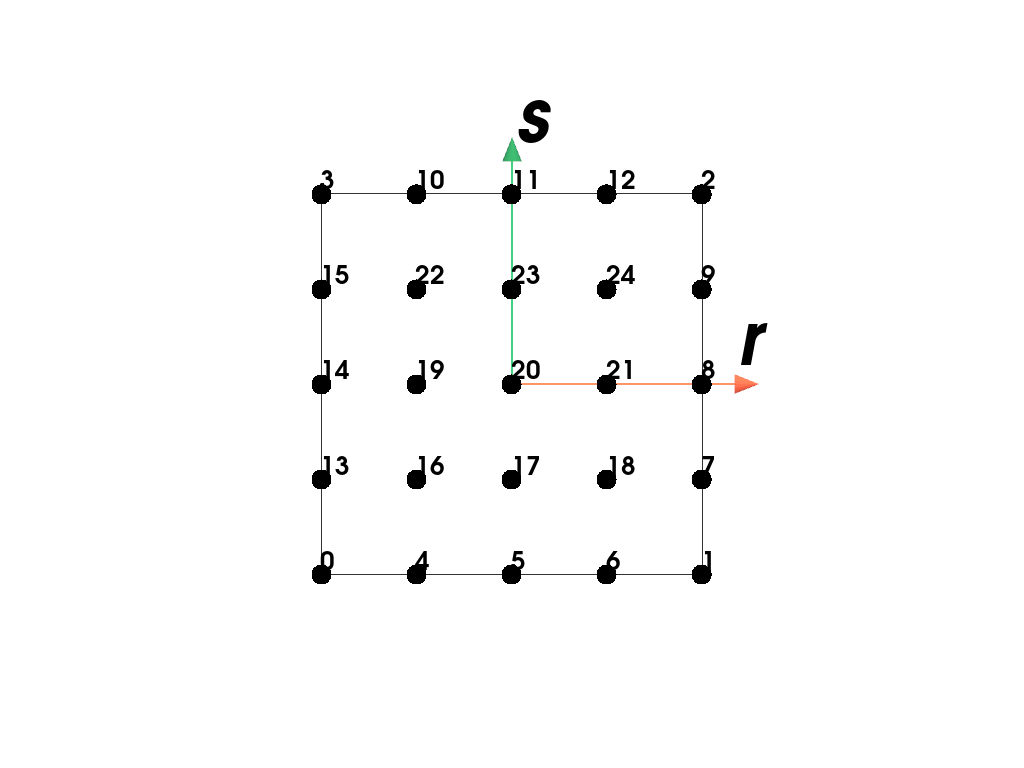
>>> element = fem.ArbitraryOrderLagrangeElement(order=4, dim=2)
>>> element.plot().show()
>>> import felupe as fem
>>>
>>> element = fem.ArbitraryOrderLagrangeElement(order=3, dim=3)
>>> element.plot().show()